Free Claude Code Tutorial for Product Managers

The Only Course Taught INSIDE Claude Code
The video above shows the original terminal version of the course. The current setup is one pasted prompt in the Claude Desktop app - see Get Started below.
Start right now in the Claude Desktop app
Paste this into the Code tab:
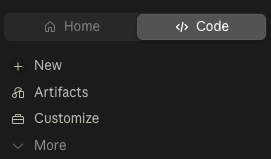
Fetch fullstackpm.com/cli and help me start Claude Code for Product ManagersPrefer the terminal? Claude Code CLI guide →
Learn Claude Code IN Claude Code! This free course teaches you AI-powered product management by actually doing it - no videos, no docs, just real PM work inside Claude Code itself.
- You’ll open the Claude Desktop app, paste one prompt, and the course installs itself
- Claude guides you through each module interactively
- You learn by doing real PM work with real files
Who This Course Is For
Product Managers who want to learn the most powerful way to use LLMs for work.
Claude Code isn’t a chatbot. It’s an AI that works directly with your files and computer:
- Reads your user research, edits PRDs, analyzes data
- Runs 10 instances in parallel to process 10 files simultaneously
- Remembers context about your product across every session
- Analyzes screenshots and mockups you paste
- Acts as custom AI reviewers (engineer, executive, UX) before you share work with your team
This is AI integrated into your actual workflow, not bolted on as a chat window.
You don’t need coding or terminal experience. If you can describe what you want in plain English, you can use Claude Code.
What You’ll Learn
Core Claude Code capabilities:
- File operations: read, write, and edit documents directly on your computer
- Parallel agents: launch multiple Claude instances to process files simultaneously
- Custom sub-agents: create specialized reviewers for different perspectives
- Project memory: use CLAUDE.md to maintain persistent context
- @-mentions: reference files and folders to give Claude full context
- Image analysis: paste screenshots and mockups for instant feedback
Applied to real PM work:
- Process meeting transcripts and extract action items
- Synthesize user research from multiple sources
- Write PRDs with multi-perspective feedback
- Analyze product data and run experiments
- Develop competitive strategy and create presentations
Course Structure
Module 0: Getting Started – Install the Claude Desktop app and get the course with one prompt. Your first conversation with AI that actually executes tasks.
Module 1: Fundamentals – Master file operations, agents, sub-agents, and project memory through hands-on exercises with TaskFlow, your practice company.
Module 2: Advanced PM Work – Write PRDs, analyze product data, and develop competitive strategy using everything you learned in Module 1.
Reference Guides – This website serves as quick-lookup documentation while you work through the interactive modules.
What You’ll Actually Do
Module 1.2: Set up your visual workspace (Obsidian or VS Code) for split-screen workflow - watch files appear and update in real-time as Claude works
Module 1.3: Process real meeting notes, analyze user research screenshots, create reusable templates
Module 1.4: Launch 10 parallel agents to process 10 meetings simultaneously (5 minutes instead of 50)
Module 1.5: Build specialized sub-agents (Engineer, Executive, User Researcher) for multi-perspective feedback
Module 2.1: Write a complete PRD for an AI feature using Socratic questioning, parallel approaches, and sub-agent reviews
Module 2.2: Analyze product funnels, estimate feature impact, and run A/B test analysis on real datasets
Module 2.3: Research competitors in parallel, make strategic choices with devil’s advocate, create executive presentations
Prerequisites
- Claude Pro or Max subscription ($20/month, or $17/month billed annually) - Sign up here
- Mac or Windows computer (on Windows, install Git for Windows first; Linux works via the CLI or the beta desktop app)
- Basic PM experience (know what a PRD is)
- 10-12 hours to complete the course
- Willingness to learn by doing
No coding experience required. No terminal experience required. If you can have a conversation, you can use Claude Code.
Get Started
This course runs in the Claude Desktop app. Open it, start a new project, and paste the prompt below — Claude takes it from there:
Fetch fullstackpm.com/cli and help me start Claude Code for Product ManagersClaude installs the FSPM CLI, downloads the course into your project, and tells you how to begin.
👉 Installation Guide - Install the Claude Desktop app in 5 minutes
👉 Start the Course - Full setup steps, including the terminal (CLI) path
Use the sidebar to browse all modules. The search page lets you find specific topics quickly.
About This Course
Created by Carl Vellotti.
- If you have any feedback about this module or the course overall, message me!
- I’m building a newsletter and community for PM builders, check out The Full Stack PM.
Source Repository: github.com/carlvellotti/free-ai-courses
Disclaimer
This course and its creator are not affiliated with, endorsed by, or sponsored by Anthropic. I’m an independent creator who loves Claude Code and wanted to help other Product Managers learn how to use this amazing tool effectively.